Make a Sheru Bhai Video With My Photo
Upload one clear selfie from your iPhone, Android, or desktop to stand beside Sheru Bhai or transform into the lion boss—then animate your portrait into a talking 9:16 MP4 with native Hindi, English, or Urdu voice.
New here? Sign in for 10 free credits to try AI Photo or With My Photo free (valid 3 days).
Balance: 0 credits · Buy one-time pack
Failed generations are refunded automatically · No watermark
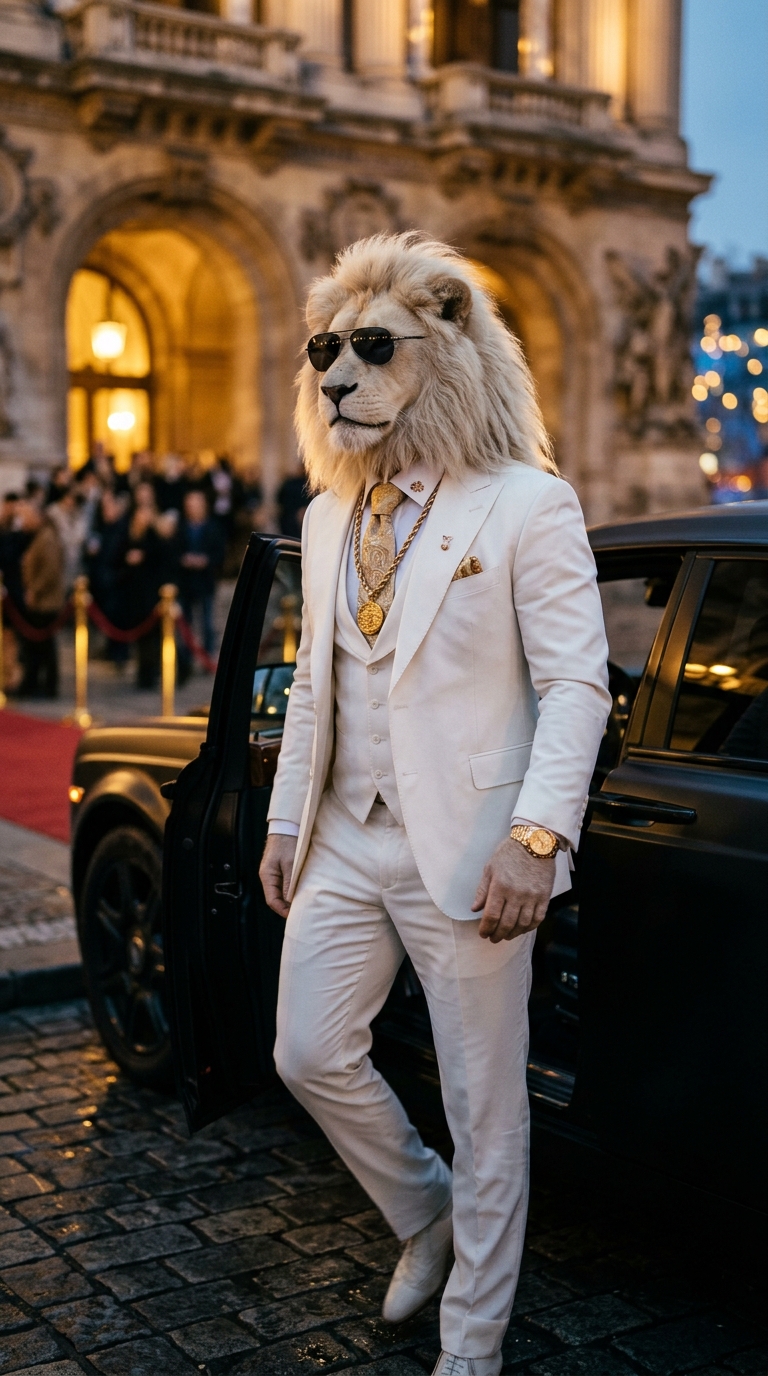
Raasta chhodo… Sheru Bhai ki entry hai.
White lion boss · 9:16 · Hindi lip-sync · Clean MP4
Rendering your 9:16 Sheru Bhai clip…
Video + native audio usually takes 1–3 minutes. Keep this tab open.
Two Ways to Star in a Sheru Bhai Video With Your Own Photo
Creating a Sheru Bhai video with my photo takes more than slapping a static cutout next to a lion—viewers expect believable lighting, preserved facial identity, and crisp Hindi, English, or Urdu spoken dialogue instead of a silent slideshow. Inside the With My Photo workspace above, you can upload a single adult photo and direct either of two popular formats:
- Stand beside Sheru Bhai: Appear shoulder-to-shoulder with white-suited Sheru Bhai in scenes like Meet My New Partner (luxury lounge) or Sheru Bhai in Class (university lecture bench), keeping your exact face, hairstyle, and natural clothing intact.
- Become Sheru Bhai: Transform yourself directly into the white-suited anthropomorphic lion boss while carrying over your posture, camera framing, and outfit palette.
Unlike single-purpose selfie tools that stop at silent clips, you can inspect your generated portrait first and animate it straight into a talking 9:16 vertical MP4 using Photo → Video with native audio and zero watermarks.
3-Step Workflow: From One Selfie to a Talking 9:16 Video
- Upload 1 Clear Photo & Pick Your Mode (
10–25 seconds): Under With My Photo above, pick Stand beside Sheru Bhai or Become Sheru Bhai, choose a collab template, and select a front-facing adult photo from your phone gallery or computer. New Google sign-ins receive 10 free signup credits (valid 3 days, subject to anti-abuse limits), enough to generate one clean 1K AI portrait free. - Verify Your Face & Framing Before Animating: Inspect the portrait right on the studio stage. Checking face accuracy on a 10-credit still frame ensures you never waste video credits on an off-angle photo or obscured face.
- Click Animate into Video (
1–3 minutes): Once your portrait looks sharp, tap Animate into Video (or open Photo → Video), pick Hindi, English, Urdu, or Music only, type a short line under 12 words (such as "Dhyan se dekh lo… aaj se yeh mera naya partner hai"), and generate a clean MP4 via Seedance 2.0 Mini (30 cr), Fast (75 cr), or 720p HD (130 cr).
Best Selfie Photo Guidelines for iPhone & Android Users
- Use even, front-facing light: Natural daylight near a window or bright indoor lighting preserves eye shape, skin tone, and jaw contours cleanly beside Sheru Bhai’s crisp white tailoring.
- Keep faces unobstructed: Avoid dark sunglasses, surgical masks, caps pulled over eyebrows, or busy multi-person group shots so the model locks onto one unmistakable adult subject.
- Upload original camera photos when possible: Sharp JPEG, PNG, or WebP files straight from your phone camera roll outperform blurry WhatsApp-compressed screenshots. Large mobile photos are automatically resized and compressed inside your browser before upload—see our iPhone and Android mobile guide for export tips.
- Prefer standalone scenes first? You can also generate solo wallpapers in our Sheru Bhai AI photo generator or customize prompts locally with no upload using our Free Sheru Bhai Prompt Generator.
Privacy, 24-Hour Auto-Delete & Credit Protection
Your selfie privacy stays protected at every step when you make a Sheru Bhai video with your photo on sherubhaivideo.org:
- 24-hour automatic photo deletion: Uploaded photos are compressed in your browser, transmitted solely to generate your requested output, never sold or used to train our own AI models, and automatically deleted within 24 hours.
- Adult consent requirement: Only upload photos of yourself or adults who have given explicit permission.
- Zero subscription & automatic failed-render refunds: One-time credit packs start at
$1.99for 150 credits (never expire, processed via Waffo Pancake Merchant of Record). If any AI generation fails or times out, 100% of deducted credits return automatically to your balance. Need ready-to-speak lines? Copy dialogue from Sheru Bhai prompts or return to the main Sheru Bhai video generator. Read full data handling details in our Privacy Policy.
Frequently Asked Questions
Can I appear beside Sheru Bhai or turn myself into Sheru Bhai?
Both. Inside the With My Photo tab, choose either "Stand beside Sheru Bhai" (to appear next to the lion boss in scenes like Partner Selfie or In Class) or "Become Sheru Bhai" (to transform yourself into the lion boss character).
Does my selfie Sheru Bhai video include spoken Hindi or English audio, or is it silent?
Yes. After generating your 1K or 2K selfie collab portrait, click Animate into Video (Photo → Video) to generate a 5-second or 10-second talking 9:16 MP4 with synchronized Hindi, English, or Urdu dialogue, or Music only.
Can I test how my selfie looks before paying for a video?
Yes. New accounts receive 10 free signup credits (valid 3 days), which covers one watermark-free 1K AI photo or selfie collab. You can verify your likeness first before spending any video credits.
What kind of photo gives the most accurate face match?
Upload a single, well-lit, front-facing adult photo without sunglasses, masks, or background crowds. Clean original phone gallery images give stronger face preservation than heavily compressed screenshots.
Is it safe to upload my selfie, and how long is it stored?
Uploaded selfies are compressed locally in your browser, used strictly to generate your requested output, never sold or used to train our own models, and automatically deleted within 24 hours. Please upload only your own photo or consenting adults.
How much does it cost to animate my Sheru Bhai selfie into a talking video?
One-time credit packs start at $1.99 for 150 credits (never expire, zero subscription). Animating your portrait into a 5-second talking video costs 30 credits (Seedance Mini 480p), 75 credits (Seedance Fast 480p), or 130 credits (Seedance HD 720p), with automatic refunds if any render fails.